Access Tokens
Access Tokens allow developers to securely access the Kwik API and integrate external systems with the platform.
The generated credentials can be used for:
- Payment processing
- Customer management
- Mandate management
- Transaction reporting
- Payouts
- Checkout integrations
API Documentation: https://docs.kwik.co.za/v2/overview
Checkout Form Documentation: https://docs.kwik.co.za/v2/money-in/checkout-form
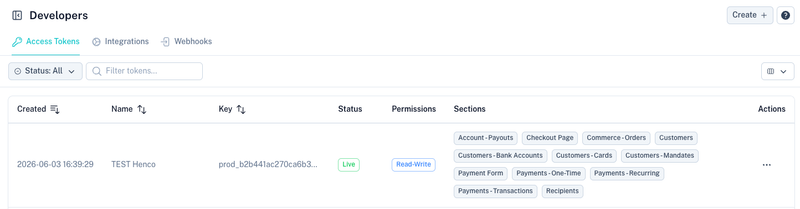
Overview
The Access Tokens screen displays all API credentials configured for your account.
The table includes:
| Column | Description |
|---|---|
| Created | Date the token was created. |
| Name | Friendly name used to identify the integration. |
| Key | Partial API key for identification purposes. |
| Status | Current token status. |
| Permissions | Access level assigned to the token. |
| Sections | Platform areas the token can access. |
Creating an Access Token
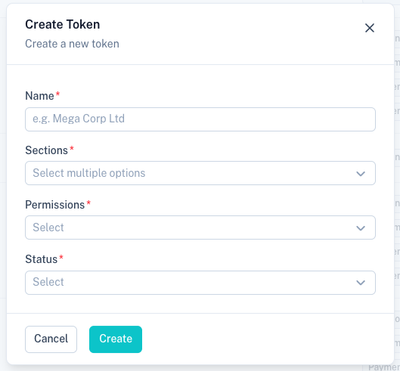
Select Create to generate a new set of API credentials.

The following screen will be displayed:
Token Fields
| Field | Description |
|---|---|
| Name | Friendly name used to identify the integration. |
| Sections | Areas of the platform the token may access. |
| Permissions | Read-only or read-write access. |
| Status | Whether the token is active or disabled. |
Sections
Sections determine which API resources can be accessed.
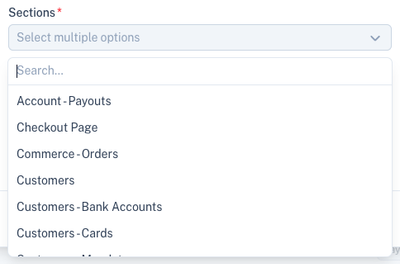
Examples include:
- Customers
- Customer Bank Accounts
- Customer Cards
- Customer Mandates
- Payments
- Transactions
- Recipients
- Payouts
- Checkout Page
- Orders
Only the selected sections will be accessible through the API.
Permissions
Permissions determine what actions the token may perform.
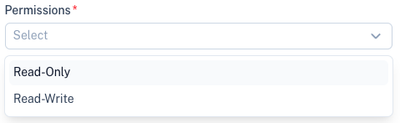
| Permission | Description |
|---|---|
| Read-Only | Can retrieve data but cannot create, update or delete records. |
| Read-Write | Full access to create, update and retrieve records within the selected sections. |
Status
Tokens can be activated or disabled at any time.
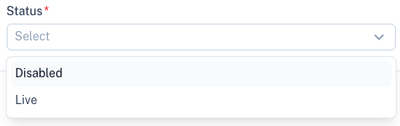
| Status | Description |
|---|---|
| Live | Token is active and can be used. |
| Disabled | Token cannot be used until re-enabled. |
Generated Credentials
Once the token has been created, the credentials will be displayed once.
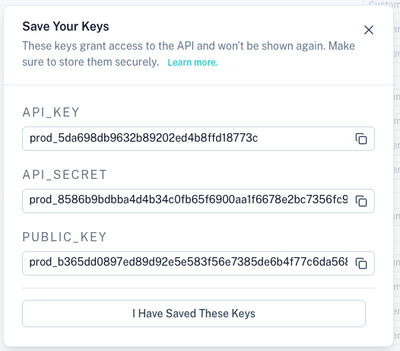
The following credentials are generated:
| Credential | Purpose |
|---|---|
| API_KEY | Used to authenticate server-to-server API requests. |
| API_SECRET | Used together with the API key to generate API signatures and authenticate requests. |
| PUBLIC_KEY | Used by the Checkout Form integration. |
API Key and API Secret
The API_KEY and API_SECRET are used when making JSON API requests to the Kwik API.
Documentation:
https://docs.kwik.co.za/v2/overview
Important: These credentials are only displayed once. Store them securely before continuing.
Public Key
The PUBLIC_KEY is used when integrating the hosted checkout form.
Documentation:
https://docs.kwik.co.za/v2/money-in/checkout-form
The public key is safe to expose in browser-based integrations and is used to initialise the checkout experience.
Security Recommendations
- Store API credentials securely.
- Never expose API secrets in frontend applications.
- Use Read-Only permissions where possible.
- Create separate tokens for different integrations.
- Disable unused tokens immediately.
- Restrict tokens to only the sections required by the integration.
Related Sections
API Documentation:
https://docs.kwik.co.za/v2/overview
Checkout Form:
https://docs.kwik.co.za/v2/money-in/checkout-form
Manage Webhooks:
Manage Integrations: