Profile
The Profile section allows you to manage your personal account settings, update contact information, configure security features, and customise your dashboard experience.
Language
Select the language used throughout the dashboard.

Changes are applied immediately after selection.
Theme
Customise the appearance of the dashboard.

Available themes may include:
- Light
- Dark
Personal Information
Manage the personal information associated with your account.
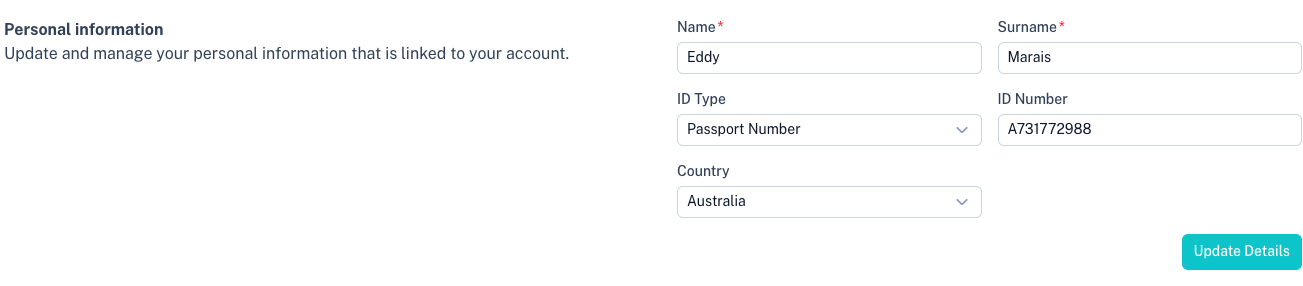
Available fields include:
| Field | Description |
|---|---|
| Name | Your first name. |
| Surname | Your surname. |
| ID Type | Type of identification used for your account. |
| ID Number | Identification or passport number. |
| Country | Your country of residence. |
Click Update Details to save your changes.
Contact Information
Manage your contact details.

Available fields include:
| Field | Description |
|---|---|
| Email Address | Primary email address associated with your account. |
| Cellphone | Primary mobile number used for notifications and security. |
| Alternative Contact | Optional secondary contact number. |
Note: If you change your email address, you may be required to verify the new email address before it becomes active.
Change Password
Update your account password.

Requirements:
- Minimum 8 characters.
- Password and confirmation must match.
For security reasons, choose a strong and unique password.
Summary Reports
Receive transaction summary reports via email.

Available reporting intervals include:
- Weekly
- Monthly
Weekly reports are typically sent every Monday, while monthly reports are sent on the first day of each month.
Two-Factor Authentication (2FA)
Enable an additional layer of security for your account.
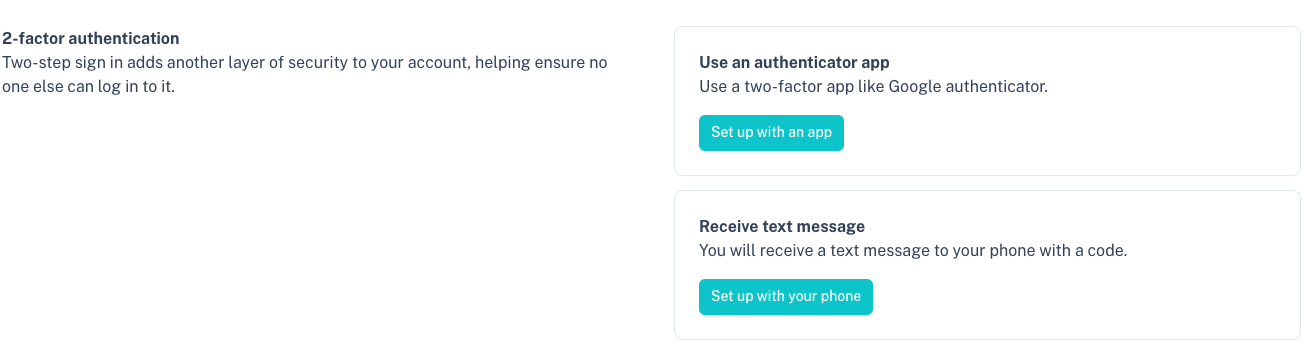
Available methods include:
Authenticator App
Use an authenticator application such as:
- Google Authenticator
- Microsoft Authenticator
- Authy
SMS Verification
Receive a one-time verification code via SMS when signing in.
Enabling 2FA helps protect your account even if your password is compromised.
Other Settings
Additional account settings can be found under:
Tips
- Keep your contact information up to date.
- Enable two-factor authentication for additional security.
- Use summary reports to monitor account activity.
- Review your profile information regularly to ensure accuracy.