Security
The Security section allows you to manage account-level security controls for your team, including Multi-Factor Authentication (MFA) and Single Sign-On (SAML).
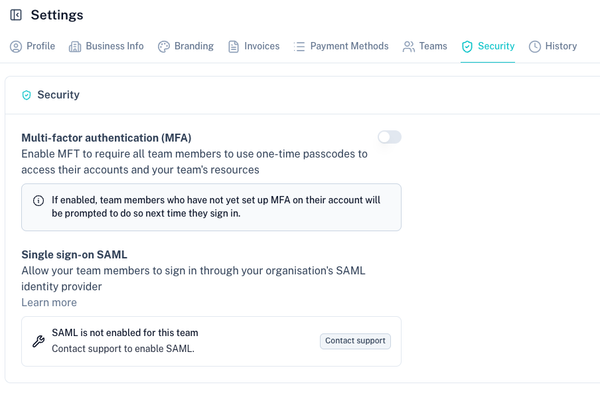
Multi-Factor Authentication (MFA)
Multi-Factor Authentication adds an additional layer of protection by requiring team members to use a one-time passcode when signing in.
When MFA is enabled, all team members must complete MFA setup before they can continue accessing the platform.
Enabling MFA
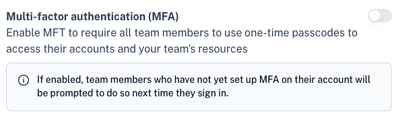
Use the MFA toggle to require Multi-Factor Authentication for your team.
MFA Setup Process
When MFA is enabled:
- Team members who have not yet set up MFA will be prompted to do so the next time they sign in.
- Each team member must complete the MFA setup process on their own account.
- Once configured, the team member will be required to use MFA for future sign-ins.
- Team members who already have MFA enabled will continue using their existing MFA method.
MFA is recommended for all users, especially administrators and users with access to payments, payouts, customers or account settings.
Single Sign-On SAML
Single Sign-On allows team members to sign in through your organisation's SAML identity provider.
This is useful for organisations that manage employee access centrally through an identity provider such as Microsoft Entra ID, Okta, Google Workspace or another SAML-compatible provider.
Enabling SAML
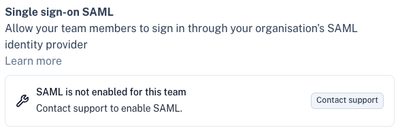
If SAML is not enabled for your team, the Security section will display a message confirming that SAML is not currently active.
Click Contact Support to request SAML enablement for your account.
SAML Setup Process
When requesting SAML, support may require the following information:
- Organisation or team name
- Identity provider being used
- Technical administrator contact details
- Required sign-in domain or user access requirements
- Any enterprise security requirements that must be considered
Once enabled, your organisation will be guided through the SAML configuration process.
Tips
- Enable MFA for all teams that process payments, manage customers or access financial data.
- Ensure administrator accounts have MFA enabled before inviting additional users.
- Use SAML for enterprise clients that require centralised identity management.
- Regularly review team access from the Teams section.
- Remove users who no longer require access to the account.
- Keep at least one administrator account available as a fallback for account recovery and access management.