Customers
The Customers section provides a central view of all customer information and activity. From here you can create customers, manage customer details, and view all payment-related activity linked to a customer.
Creating a Customer
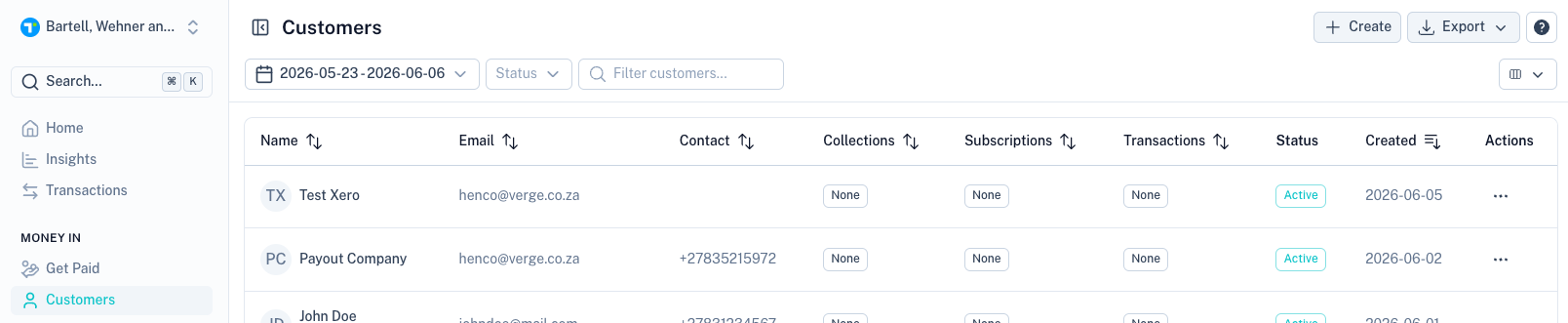
Click the Create button in the top-right corner.
Customer Type
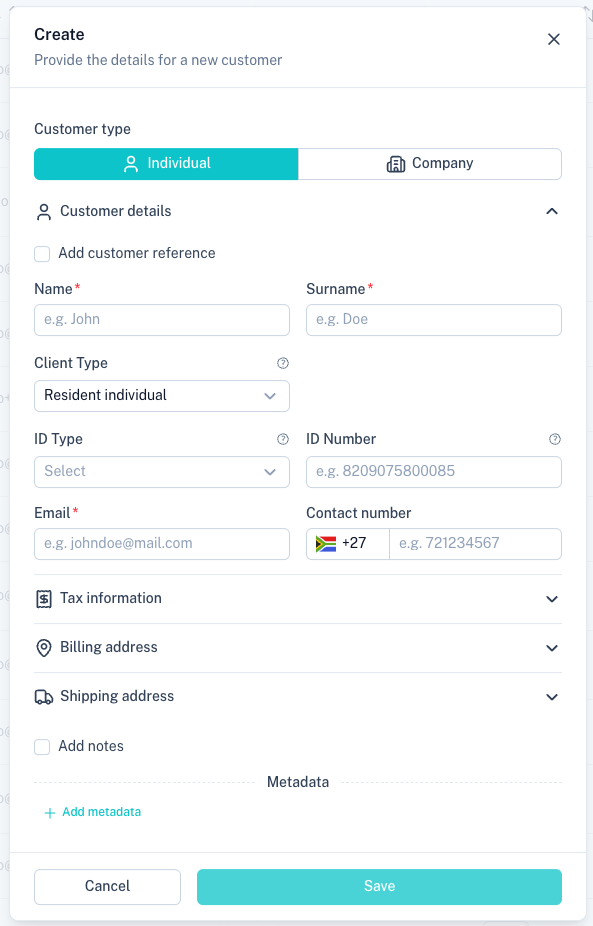
Select the type of customer you want to create.
Available options:
| Customer Type | Description |
|---|---|
| Individual | Create a customer profile for a person. |
| Company | Create a customer profile for a business. |
Customer Details
Complete the customer's basic information.
Common fields include:
| Field | Description |
|---|---|
| Customer Reference | Your internal reference for the customer. Leave blank to auto-generate. |
| Name | Customer's first name. |
| Surname | Customer's surname. |
| Client Type | Classification of the customer. |
| ID Type | Type of identification provided. |
| ID Number | Customer's identification number. |
| Customer email address. | |
| Contact Number | Customer phone number. |
Tax Information
Capture VAT information where applicable.

Options include:
- VAT registered
- VAT number
Billing Address
Capture the customer's billing information.
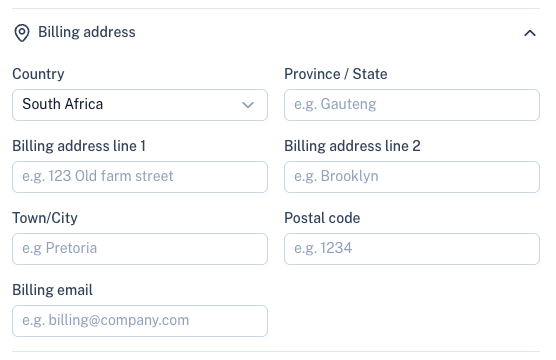
Fields include:
- Country
- Province / State
- Address lines
- Town / City
- Postal code
- Billing email
Notes
Store internal notes related to the customer.
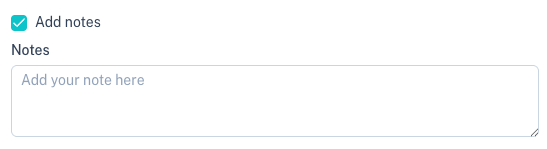
Notes are only visible to users within your account.
Metadata
Metadata allows you to store additional custom information against a customer.

Click Add metadata to create a custom key/value pair.

Examples:
- CRM identifiers
- External system references
- Internal tags
- Customer categories
Customer List
The customer table provides an overview of all customers.
Common columns include:
| Column | Description |
|---|---|
| Name | Customer name. |
| Customer email address. | |
| Contact | Customer contact number. |
| Collections | Number of collections linked to the customer. |
| Subscriptions | Number of subscriptions linked to the customer. |
| Transactions | Number of transactions linked to the customer. |
| Status | Current customer status. |
| Created | Date the customer was created. |
Customer Actions
Open the Actions menu to manage a customer.
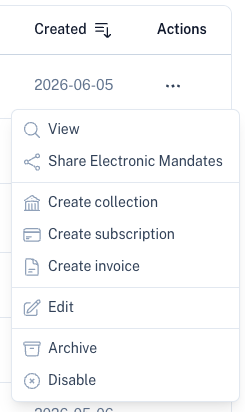
Available actions include:
| Action | Description |
|---|---|
| View | Open the customer profile. |
| Share Electronic Mandates | Share mandate links with the customer. |
| Create Collection | Create a new collection for the customer. |
| Create Subscription | Create a new subscription for the customer. |
| Create Invoice | Generate an invoice for the customer. |
| Edit | Update customer information. |
| Archive | Archive the customer record. |
| Disable | Prevent further activity for the customer. |
Customer Profile
Selecting View opens the customer profile.
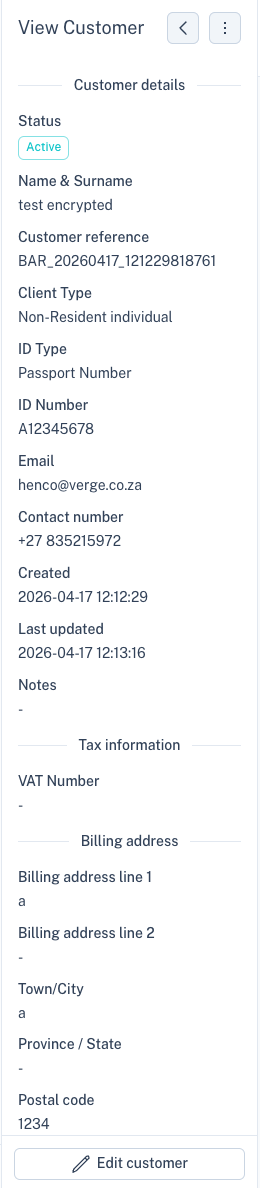
The profile displays:
- Customer details
- Contact information
- Tax information
- Billing information
- Notes
- Customer references
You can update the customer by clicking Edit Customer.
Customer Overview Tabs
The customer profile contains several customer-specific tabs.

These tabs provide an overview of all activity linked to the selected customer.
Available tabs include:
| Tab | Description |
|---|---|
| Bank Accounts | Customer bank accounts and mandates. |
| Collections | Collections linked to the customer. |
| Subscriptions | Active and historical subscriptions. |
| Invoices | Customer invoices. |
| Transactions | Customer transaction history. |
| Cards | Stored customer cards. |
| Payouts | Payouts linked to the customer. |
Bank Accounts
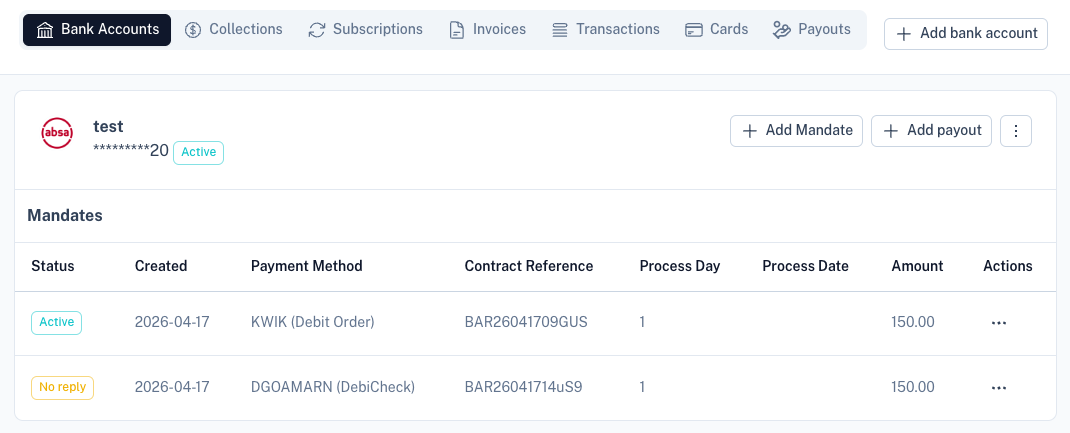
This section displays:
- Linked bank accounts
- Mandates
- Payment methods
- Collection information
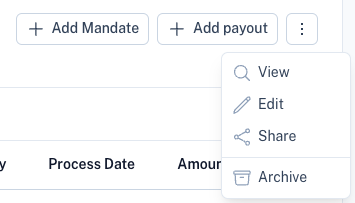
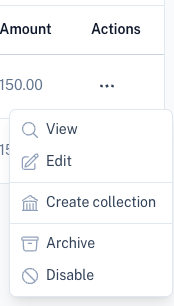
Actions are available for managing bank accounts and mandates.
Collections
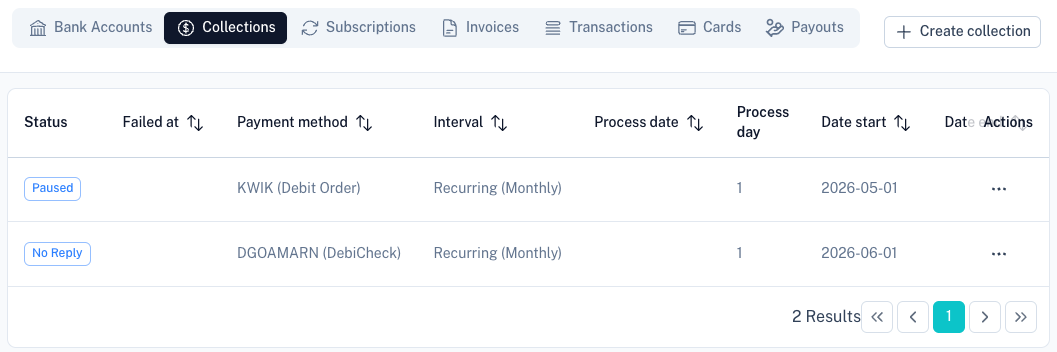
The Collections tab displays all collections linked to the customer, including:
- Status
- Payment method
- Collection interval
- Process date
- Collection amount
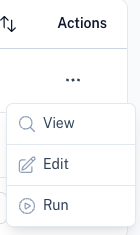
Collection-specific actions are also available.
Exporting Customers
Use the Export button to download customer data.
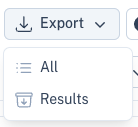
Available options:
| Export Option | Description |
|---|---|
| All | Export all customers within the selected date range. |
| Results | Export only the currently filtered results. |
Exports are generated in CSV format.
Tips
- Store customer references to simplify reconciliation.
- Use metadata to link customers with external systems.
- Manage mandates and bank accounts directly from the customer profile.
- Use the customer tabs to view all customer activity from a single location.
- Export customer lists for reporting or migration purposes.