Mandates
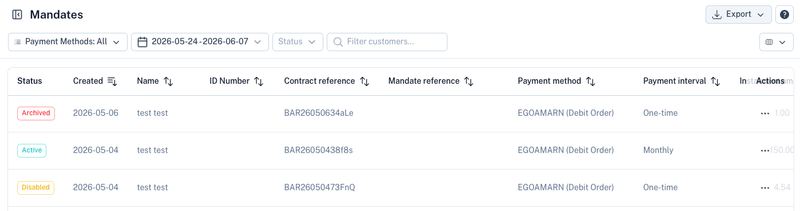
The Mandates section provides a central view of all customer mandates created on your account.
This includes:
- EFT Debit Orders
- Registered Mandates (RM)
- DebiCheck Mandates
The section is primarily used for monitoring mandate statuses, searching for specific mandates, and troubleshooting collection issues.
What is a Mandate?
A mandate is the customer's authorisation allowing you to collect funds from their bank account.
Depending on the payment method used, this may be:
- An EFT Debit Order mandate
- A Registered Mandate (RM)
- A DebiCheck mandate
Mandates are typically created through:
- Electronic Mandates
- Collections
- Customer onboarding processes
- API integrations
For more information see:
Viewing Mandates
The mandate list provides an overview of all mandates linked to your account.
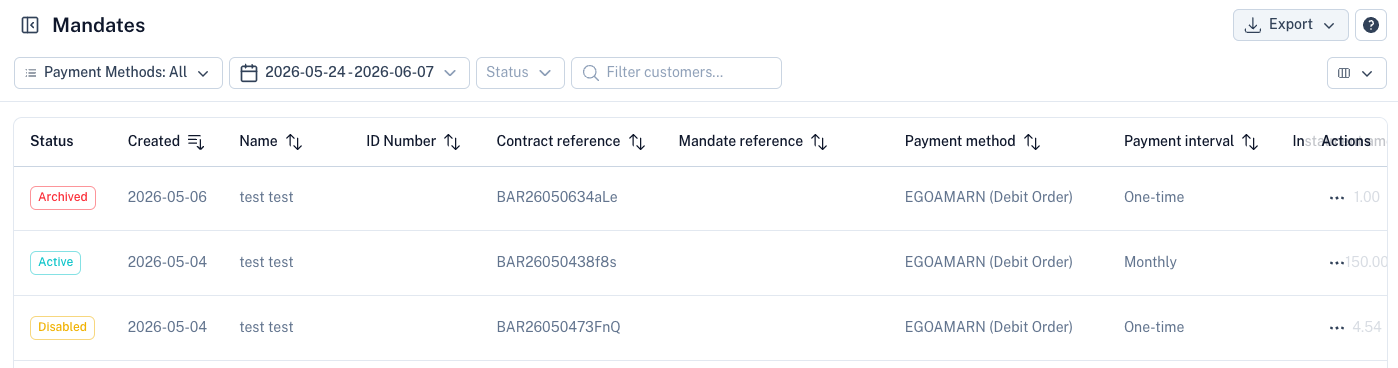
The list displays:
| Field | Description |
|---|---|
| Status | Current mandate status. |
| Created | Date the mandate was created. |
| Name | Customer name associated with the mandate. |
| ID Number | Customer ID number or registration number. |
| Contract Reference | Your unique contract reference. |
| Mandate Reference | Unique mandate reference generated by the system. |
| Payment Method | EFT Debit Order, RM, or DebiCheck. |
| Payment Interval | One-time or recurring collection frequency. |
| Instalment Amount | Collection amount associated with the mandate. |
Searching for Mandates
The search functionality allows you to quickly locate mandates using:
- Customer name
- Customer surname
- ID number
- Contract reference
- Mandate reference
The Contract Reference is often the fastest method when investigating a customer collection or support query.
Filtering Mandates
Mandates can be filtered by:
Payment Method
- EFT Debit Order
- Registered Mandate (RM)
- DebiCheck
Status
Filter mandates by their current state.
Date Range
Locate mandates created within a specific period.
Mandate Statuses
| Status | Description |
|---|---|
| Active | The mandate is active and available for collections. |
| Disabled | The mandate has been disabled and can no longer be used for collections. |
| Archived | The mandate has been archived and retained for historical purposes. |
| Pending | The mandate is awaiting authorisation or processing. |
| Rejected | The mandate was declined or could not be authorised. |
The available statuses may differ depending on the payment method being used.
Common Uses
Collection Monitoring
Quickly identify which mandates are available for collections.
Customer Support
Locate mandate information when assisting customers with collection queries.
Contract Reference Tracking
Search using your contract reference to trace a specific customer agreement.
DebiCheck Monitoring
Monitor DebiCheck mandate statuses and determine whether authorisation has been completed successfully.
Audit and Compliance
Maintain a complete history of customer authorisations and mandate records.
Best Practices
- Use unique contract references for every customer agreement.
- Keep mandate records active only while collections are required.
- Archive unused mandates rather than deleting historical records.
- Regularly review rejected and disabled mandates.
- Use the search functionality when investigating collection disputes or payment failures.
Related Sections
Create customer mandates:
Manage recurring collections:
Manage customer records: