Subscriptions
Subscriptions allow you to automatically charge a customer's card on a recurring basis.
This section is specifically designed for recurring card payments.
For recurring EFT Debit Orders, Registered Mandates (RM), and DebiCheck collections, please refer to:

Creating a Subscription
To create a new subscription, select Create.
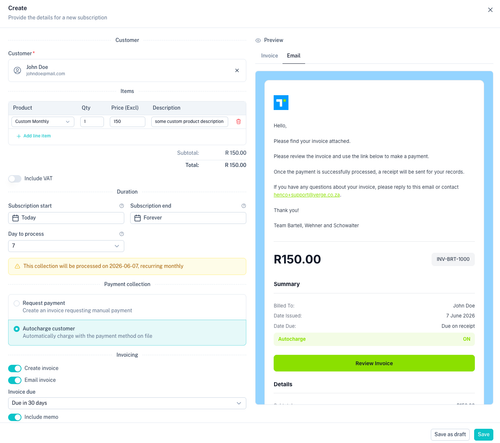
The subscription creation screen allows you to select a customer, add products, define the subscription duration, configure payment collection settings, and customise invoicing behaviour.
Selecting a Customer
Every subscription must be linked to a customer.
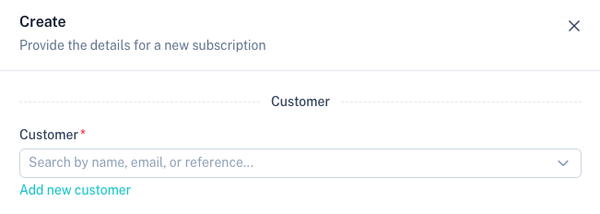
You can:
- Select an existing customer
- Create a new customer directly from the subscription screen
The customer must have a valid payment method available before recurring card billing can occur.
Adding Products
Products determine what the customer will be billed for.
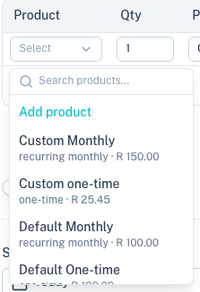
Products can include:
- One-time products
- Recurring products
- A combination of both
When recurring products are selected, the subscription will continue charging according to the billing period configured on the product.
For more information see:
Subscription Duration
The subscription duration determines how long billing should continue.
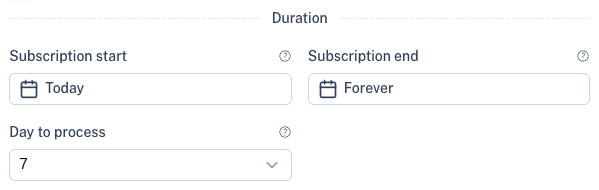
Typical options include:
| Option | Description |
|---|---|
| Subscription start | Start the billing from this date |
| Subscription end | End the billing on or before this date. Leave blank to manually stop |
This allows you to create both open-ended subscriptions and fixed-term agreements.
Payment Collection
Configure how recurring card payments will be collected.
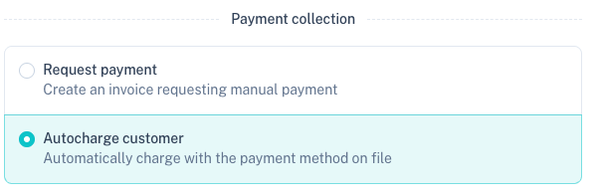
Subscriptions use stored card details and payment tokens to automatically charge the customer according to the subscription schedule.
Benefits include:
- Automated recurring billing
- Reduced manual administration
- Automatic payment tracking
- Improved collection rates
Invoicing
Invoices can be generated automatically for subscription payments.
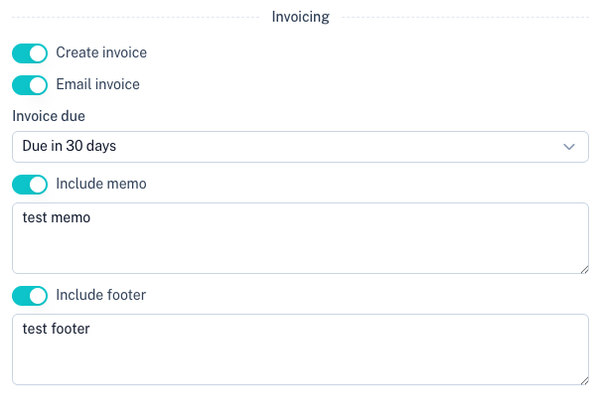
Depending on your configuration, the platform can:
- Generate invoices automatically
- Email invoices automatically
- Send receipts after successful payments
Default invoice behaviour can be configured under:
Subscription Preview
A real-time preview is available while creating a subscription.
Invoice Preview
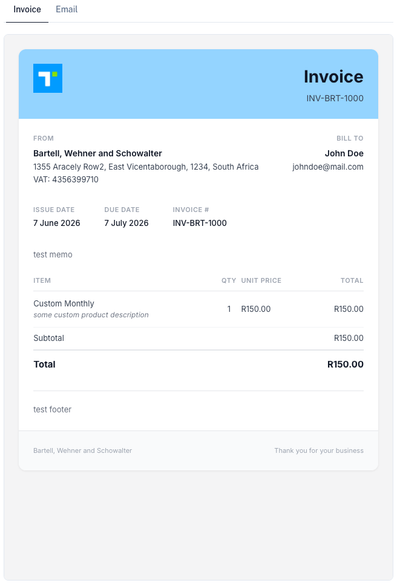
The invoice preview shows how generated invoices will appear to customers.
Email Preview
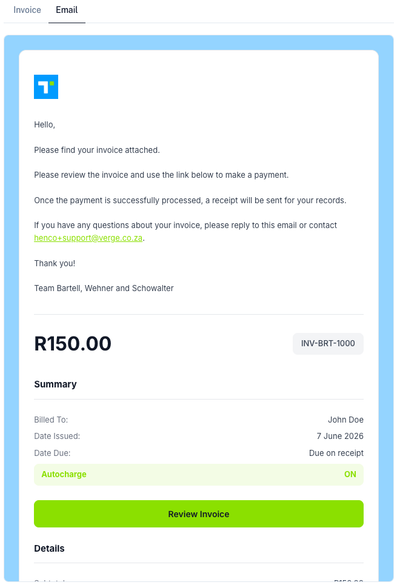
The email preview shows the notification email customers will receive.
Managing Subscriptions
All subscriptions are displayed within the subscription list.
The subscription list provides visibility into:
- Customer information
- Subscription status
- Billing interval
- Amount
- Start date
- Next billing date
- Payment status
Use the filters and search functionality to quickly locate subscriptions.
Subscription Lifecycle
A typical subscription process follows these steps:
- Create or select a customer.
- Add one or more products.
- Configure the subscription duration.
- Configure recurring payment collection.
- Save and activate the subscription.
- Customer payment method is charged automatically on each billing cycle.
- Invoices and receipts are generated according to your invoice settings.
Subscription Statuses
| Status | Description |
|---|---|
| Active | Subscription is currently billing. |
| Paused | Billing is temporarily suspended. |
| Cancelled | Subscription has been terminated. |
| Completed | Subscription reached its end date or final billing cycle. |
| Failed | Billing could not be processed successfully. |
Best Practices
- Use subscriptions for recurring card payments only.
- Use recurring products to standardise pricing.
- Store customer payment methods before activating subscriptions.
- Configure automatic invoicing for improved record keeping.
- Review failed subscription payments regularly.
- Use collections instead of subscriptions when collecting via EFT Debit Order, RM, or DebiCheck.
Related Sections
Manage recurring products:
Manage customers:
Manage invoice settings:
Recurring debit order collections:
View stored card tokens: