Collections
Collections allow you to collect funds from customers using:
- EFT Debit Orders
- Registered Mandates (RM)
- DebiCheck
Unlike subscriptions, which are used for recurring card payments, collections are designed specifically for bank account collections.
Collection Types
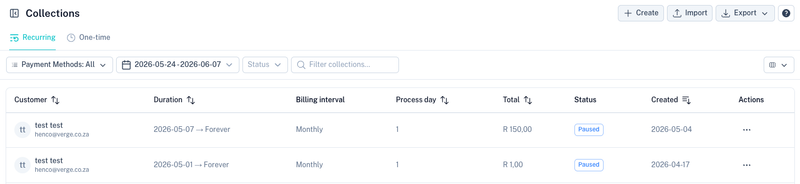
Two collection types are available:

Recurring Collections
Recurring collections are processed automatically by Kwik according to the collection interval configured on the mandate.
Examples include:
- Monthly insurance premiums
- Membership fees
- Loan repayments
- Service agreements
Kwik automatically generates and submits collection instructions while adhering to PASA (Payments Association of South Africa) rules and processing windows.
One-Time Collections
One-time collections are processed only once.
These collections are commonly created:
- Through the API
- Via CSV imports
- Directly from the dashboard
One-time collections will appear under the One-time tab for monitoring and reporting.
Creating a Collection
Select Create to create a new collection.

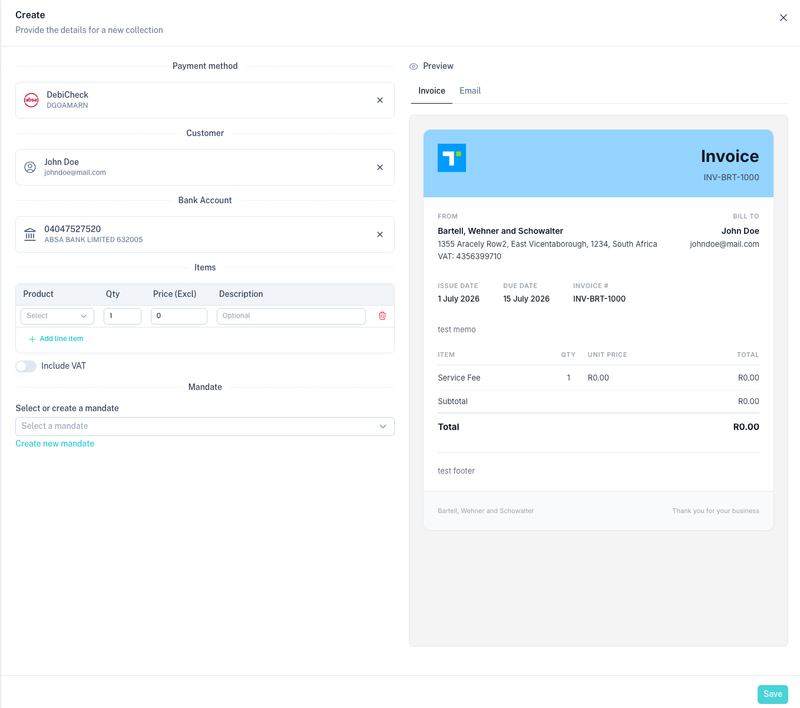
The collection creation screen allows you to configure:
- Payment method
- Customer
- Bank account
- Products
- Mandates
- Collection duration
- Invoicing
- Collection rules
Select a Payment Method
Choose the payment method that will be used to collect funds.
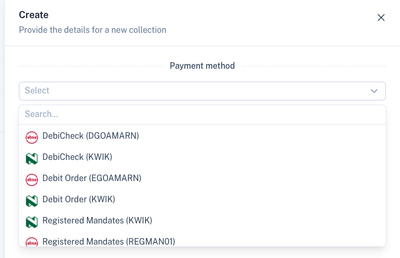
Available payment methods may include:
- DebiCheck
- EFT Debit Order
- Registered Mandates (RM)
The payment methods displayed depend on what has been enabled and approved on your account.
Select a Customer
Collections are linked to a customer record.

You can:
- Select an existing customer
- Create a new customer
The customer information is used when generating invoices, mandate references and collection instructions.
Select a Bank Account
A customer's bank account must be linked to the collection.
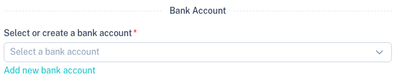
The selected bank account will be used when collection instructions are submitted to the banking network.
Products and Billing Amounts
Products determine what is being billed.
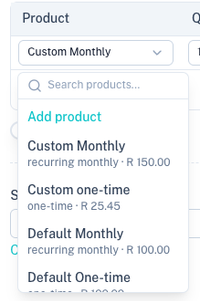
Products can be:
- One-time products
- Recurring products
- Custom line items
Products are also used for:
- Invoice generation
- Revenue tracking
- Reporting
- Product-level analytics
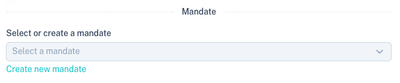
Mandates
Collections require a valid mandate.
A mandate represents the customer's authority allowing funds to be collected from their bank account.
You may either:
- Select an existing mandate
- Create a new mandate
DebiCheck Mandates
DebiCheck mandates require mandate registration and customer authentication.
When creating a DebiCheck mandate, additional information can be configured.
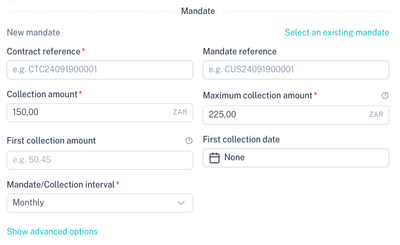
DebiCheck Features
- Contract reference
- Mandate reference
- Collection amount
- Maximum collection amount
- First collection amount
- First collection date
- Collection interval
Advanced DebiCheck Options
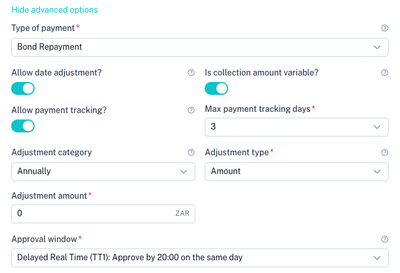
Advanced settings include:
- Collection date adjustment
- Variable amount collections
- Collection tracking
- Tracking days
- Annual escalation rules
- Escalation amount
- Approval windows
EFT Debit Order and Registered Mandate (RM)
EFT Debit Orders and Registered Mandates use a similar mandate structure.
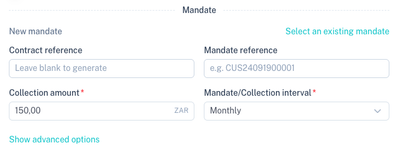
Typical fields include:
- Contract reference
- Mandate reference
- Collection amount
- Collection interval
Advanced EFT Debit Order / RM Settings

Additional options include:
- Date adjustment rules
- Variable collection amounts
- Collection tracking
- Tracking days
- Escalation categories
- Escalation methods
- Approval windows
Understanding the Difference Between DebiCheck and EFT Debit Orders / RM
DebiCheck
DebiCheck mandates are electronically authenticated by the customer through their bank.
Benefits include:
- Strong customer authentication
- Reduced disputes
- Higher collection success rates
- Improved mandate validation
EFT Debit Orders and Registered Mandates (RM)
Traditional EFT Debit Orders and RM mandates are not authenticated through the customer's bank before collections begin.
Benefits include:
- Faster onboarding
- Simpler mandate capture
- Suitable for lower-risk collections
Registered Mandates (RM) introduce additional mandate registration controls while still operating differently from DebiCheck authentication.
Collection Duration
Recurring collections can be configured with a start and end date.
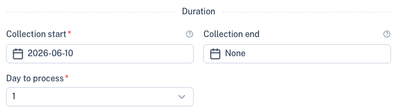
Options include:
- Fixed start date
- Fixed end date
- No end date (continue indefinitely)
- Specific processing day
This allows collections to run for a fixed contract term or indefinitely until cancelled.
Invoicing
Invoices can be generated automatically when collections are created.
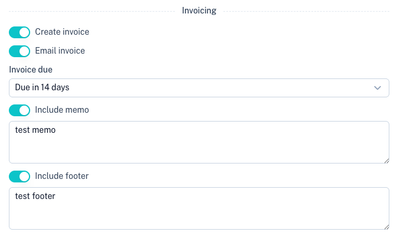
Options include:
- Create invoice
- Email invoice
- Configure invoice due date
- Include memo
- Include footer
Invoice settings can be customised per collection or inherited from your account defaults.
Collection Preview
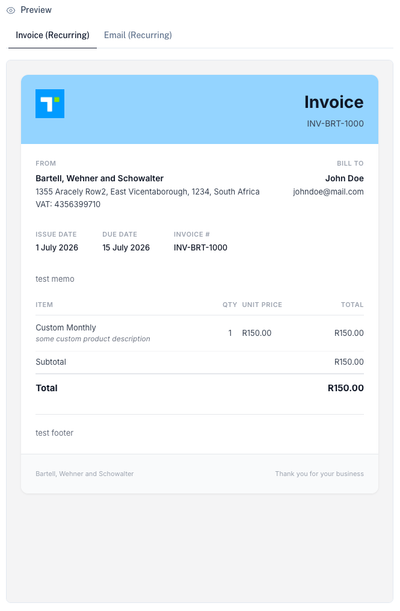
A real-time preview is displayed while configuring a collection.
Invoice Preview
Email Preview
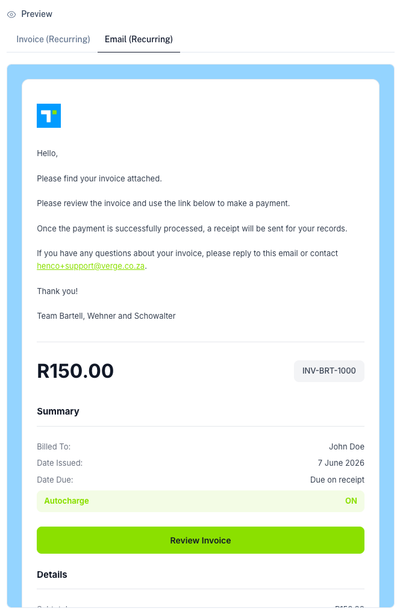
The preview shows exactly what the customer will receive.
Bulk Imports
Collections can also be created in bulk using CSV imports.
Select Import from the collection list.

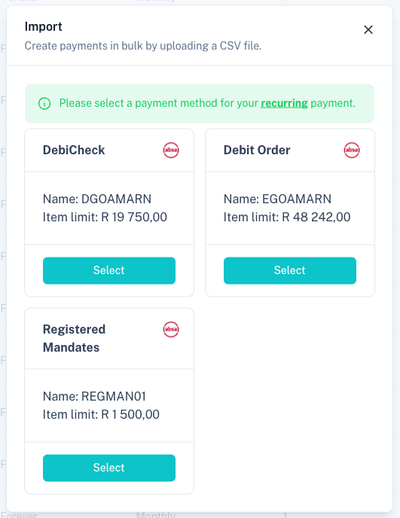
Select a Payment Method
When importing recurring collections, first choose the payment method.
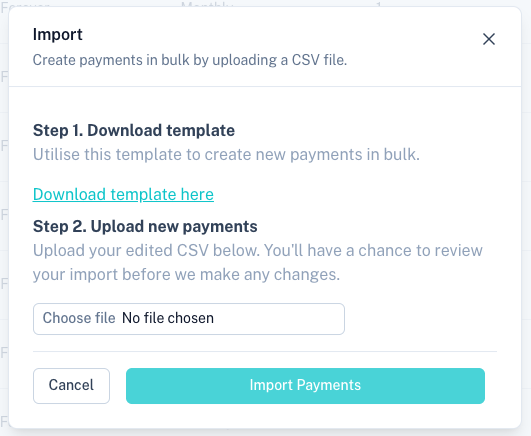
Upload CSV File
Upload a completed CSV template to create multiple collections simultaneously.
This is particularly useful for:
- Large customer migrations
- Payroll deductions
- Membership imports
- Insurance books
- Loan portfolios
Collection Lifecycle
A typical recurring collection follows this process:
- Create or select a customer.
- Select a bank account.
- Select products.
- Create or select a mandate.
- Configure collection rules.
- Configure invoicing.
- Save the collection.
- Kwik automatically submits collection instructions according to PASA processing rules.
- Funds are collected and reconciled automatically.
- Receipts and reports become available once processing is complete.
Related Sections
Manage customers:
Manage mandates:
Manage products:
Recurring card payments:
View transactions: