Transactions
The Transactions page provides a detailed view of all payment activity processed through your account. Use filters to find specific transactions, monitor statuses, and export transaction data.
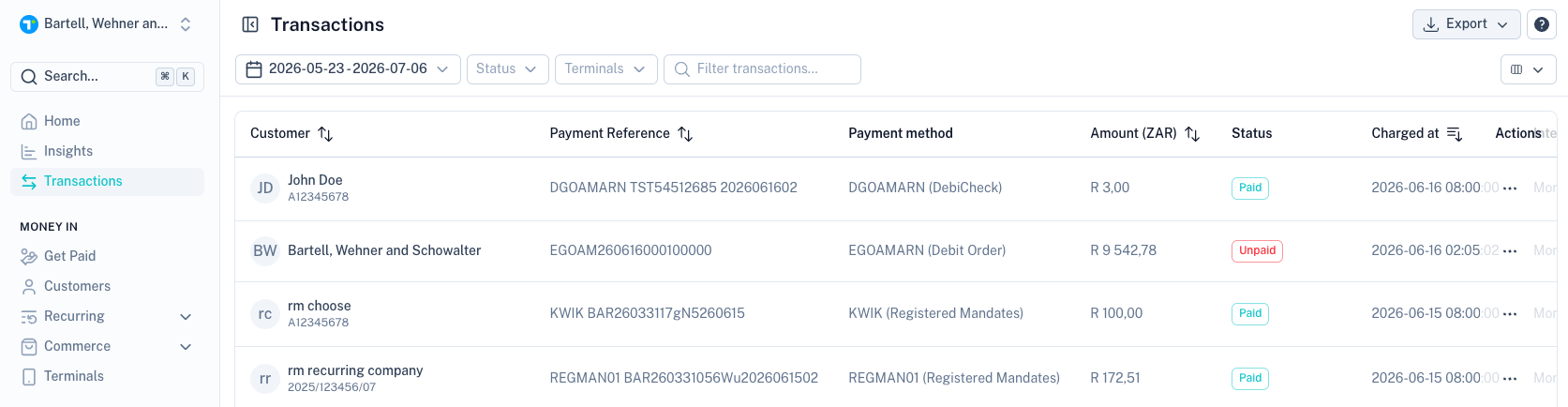
Date Range Filter
Use the date selector to view transactions within a specific period.
Quick-select options include:
- Last 7 days
- Last 14 days
- Last 30 days
- Last 3 months
- Last 6 months
- Last year
Status Filter
Filter transactions by their current status.
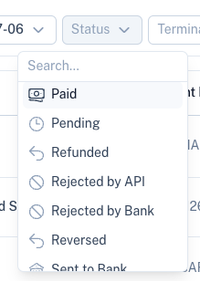
| Status | Description |
|---|---|
| Accepted by Bank | The transaction has been accepted by the bank and is awaiting processing on the scheduled collection date. |
| Cancelled | The transaction was cancelled before it could be processed. |
| Chargeback | The cardholder successfully disputed a card transaction and the funds were reversed. |
| Declined | The transaction was declined during processing and could not be completed. |
| Disputed | The customer disputed the transaction through their bank. |
| In Tracking | The transaction is currently being tracked for a future collection attempt. |
| Paid | The transaction was successfully processed and funds were collected. |
| Pending | The transaction has been created and is awaiting processing or a final response from the payment network or bank. |
| Refunded | The transaction was refunded to the customer. |
| Rejected by API | The transaction was rejected before submission due to invalid or missing data. |
| Rejected by Bank | The transaction was rejected by the bank before collection could take place. |
| Reversed | A previously successful transaction was reversed and the funds were returned to the customer. |
| Sent to Bank | The transaction has been submitted to the bank and is awaiting a response. |
| Unpaid | The transaction could not be collected, typically due to insufficient funds or the account being unavailable for debit. |
Terminal Filter
Use the Terminal filter to view transactions processed through a specific POS terminal.
This is useful when:
- Managing multiple devices.
- Reviewing activity for a specific location.
- Reconciling terminal transactions.
Search
Use the search box to quickly find transactions using:

- Customer name
- Payment reference
- Customer reference
- Transaction details
Transaction List
The transaction table displays all matching transactions.
Common columns include:
| Column | Description |
|---|---|
| Customer | Customer associated with the transaction. |
| Payment Reference | Unique payment reference. |
| Payment Method | The payment method used. |
| Amount | Transaction amount. |
| Status | Current transaction status. |
| Charged At | Date and time of processing. |
| Actions | View additional transaction details. |
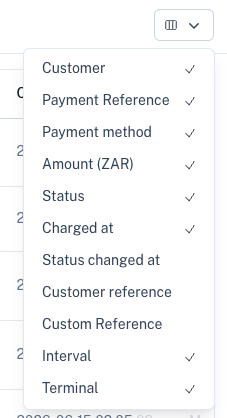
Customise Columns
Use the column selector to choose which information is displayed in the transaction table.
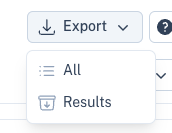
Export Transactions
Use the Export button to download transaction data in CSV format.
All
Exports all transactions matching the selected date range.
Results
Exports only the transactions currently displayed after applying filters and searches.
Tips
- Use status filters to quickly identify failed or unpaid transactions.
- Filter by terminal when reconciling POS activity.
- Export filtered results when sharing reports with team members.
- Use the search function to locate transactions faster.