Recipients
Recipients are individuals or companies that you wish to make EFT payments to.
Common use cases include:
- Paying suppliers
- Paying salaries and wages
- Paying contractors
- Paying commissions
- Making ad-hoc EFT payments
Note: Recipients are separate from Customers. Customer records already support payouts directly from the customer profile and do not need to be added as recipients.
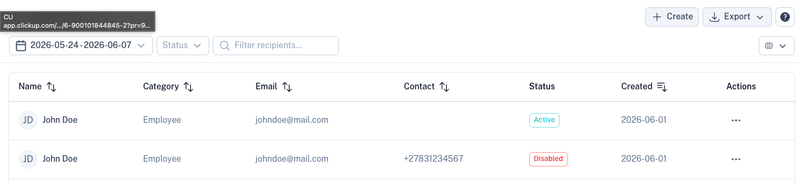
Overview
The Recipients screen provides a central location to manage all payout recipients.
The table displays:
| Column | Description |
|---|---|
| Name | Recipient name. |
| Category | Grouping or classification of the recipient. |
| Recipient email address. | |
| Contact | Recipient contact number. |
| Status | Active or Disabled. |
| Created | Date the recipient was created. |
You can search, filter and export recipients using the controls at the top of the page.
Creating a Recipient
Select Create to add a new recipient.

The recipient form allows you to capture the recipient's details.
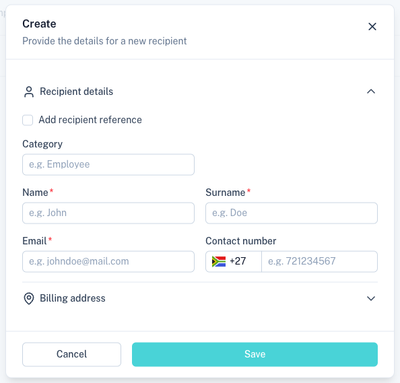
Recipient Fields
| Field | Description |
|---|---|
| Name | Recipient's first name or company contact name. |
| Surname | Recipient's surname. |
| Email address for correspondence. | |
| Contact Number | Recipient's cellphone or telephone number. |
| Billing Address | Optional address information for the recipient. |
Recipient Reference
Recipient references can either be auto-generated or supplied manually.
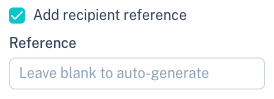
If enabled, you can specify your own internal recipient reference which can be used for reporting and reconciliation purposes.
Recipient Category
Categories allow recipients to be grouped for easier management and reporting.
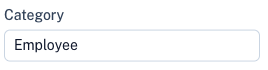
Examples include:
- Employee
- Supplier
- Contractor
- Commission Agent
- Consultant
Recipient Actions
Each recipient contains an actions menu.
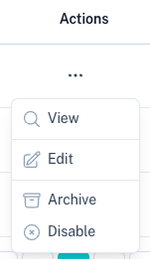
Available actions include:
| Action | Description |
|---|---|
| View | Open the recipient profile. |
| Edit | Update recipient details. |
| Archive | Archive the recipient. |
| Disable | Prevent future payouts to the recipient. |
Exporting Recipients
Recipient data can be exported in CSV format.
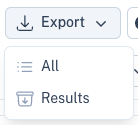
Export options include:
| Option | Description |
|---|---|
| All | Export all recipients. |
| Results | Export only the filtered results currently displayed. |
Recipient Profile
Selecting View opens the recipient profile.
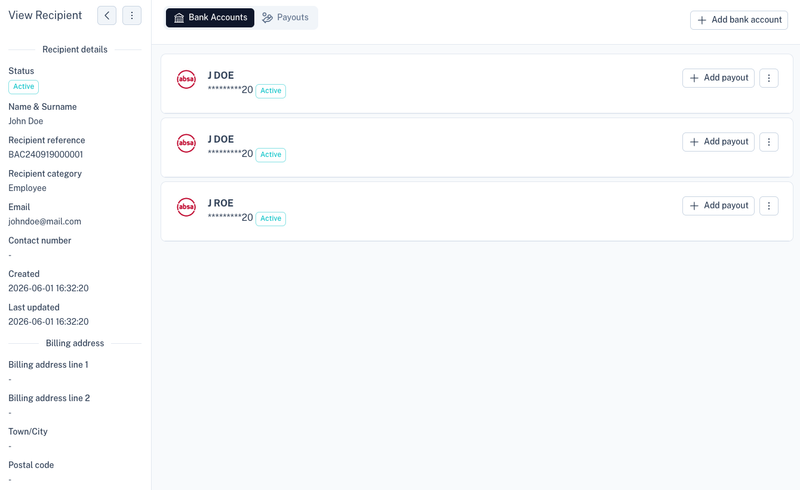
The profile provides:
- Recipient details
- Contact information
- Billing information
- Linked bank accounts
- Payout history
Managing Bank Accounts
A recipient can have multiple bank accounts linked to their profile.
Add Bank Account
Select Add Bank Account to create a new payout destination.
Each bank account stores the banking details required for EFT payouts.
Bank Account Actions
Each bank account contains its own actions menu.
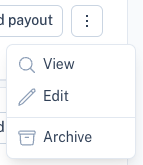
Available actions include:
| Action | Description |
|---|---|
| View | View bank account details. |
| Edit | Update banking information. |
| Archive | Archive the bank account. |
Creating a Payout
Once a bank account has been added, payouts can be created directly from the recipient profile.

This allows you to:
- Pay suppliers
- Pay employees
- Pay contractors
- Process ad-hoc EFT payments
The payout will be processed using the bank account selected for the recipient.
Best Practices
- Use categories to organise recipients.
- Add meaningful recipient references for reconciliation.
- Verify banking details before processing payouts.
- Disable recipients that should no longer receive payments instead of deleting them.
- Use exports for auditing and reporting purposes.
Related Sections
Manage customer records:
Process EFT payouts:
View payout balances: