Webhooks
Webhooks allow Kwik to send real-time notifications to your application whenever an event occurs on your account.
Instead of continuously polling the API for updates, your application can listen for webhook events and immediately react when payments, customers, mandates, collections, payouts, invoices, and other resources change.
For a complete technical reference, event payloads, security information, and implementation examples, please refer to:
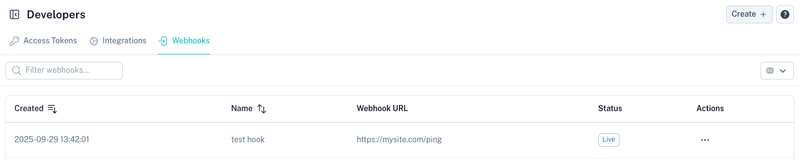
Creating a Webhook
To create a new webhook, select Create.

The webhook creation form allows you to define where Kwik should send event notifications.
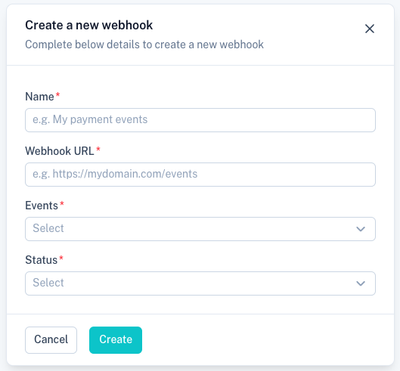
Fields
| Field | Description |
|---|---|
| Name | Friendly name used to identify the webhook. |
| Webhook URL | HTTPS endpoint that will receive webhook notifications. |
| Events | One or more events that should trigger a webhook notification. |
| Status | Determines whether the webhook is active. |
Events
Select the events your application would like to receive.
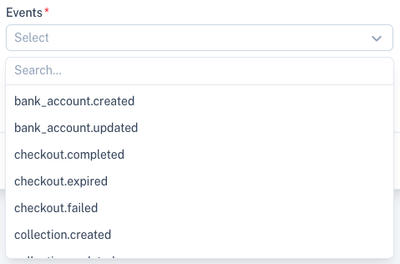
Examples include:
- bank_account.created
- bank_account.updated
- checkout.completed
- checkout.expired
- checkout.failed
- collection.created
- collection.updated
- customer.created
- customer.updated
- invoice.created
- invoice.updated
- mandate.created
- mandate.updated
- payout.created
- payout.updated
- transaction.created
- transaction.updated
The complete list of supported events is available in the API documentation.
Status
Choose whether the webhook should actively receive notifications.
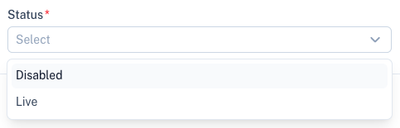
Available statuses:
| Status | Description |
|---|---|
| Live | The webhook will receive events from Kwik. |
| Disabled | The webhook is inactive and no events will be sent. |
Managing Webhooks
Once created, all webhooks are displayed in the webhook list.
The list displays:
- Creation date
- Webhook name
- Webhook URL
- Current status
Use the search bar to quickly locate a webhook.
Webhook Actions
Each webhook provides additional actions through the action menu.
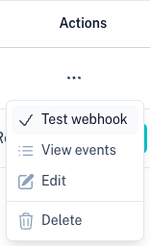
Available actions include:
| Action | Description |
|---|---|
| Test Webhook | Sends a sample event to the configured endpoint. |
| View Events | View webhook delivery history and responses. |
| Edit | Modify the webhook configuration. |
| Delete | Permanently remove the webhook. |
Testing a Webhook
Before using a webhook in production, it is recommended to test the endpoint.
Select Test Webhook from the actions menu.
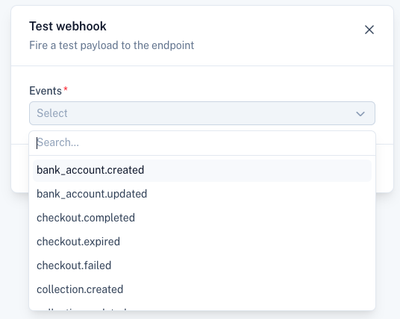
Choose an event type and Kwik will immediately send a test payload to the configured endpoint. This allows you to:
- Verify connectivity
- Confirm payload processing
- Validate response handling
- Test error handling and retries
Viewing Webhook Events
The webhook event log provides visibility into all webhook deliveries.
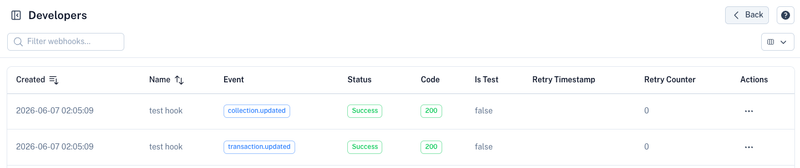
For each delivery attempt you can view:
| Field | Description |
|---|---|
| Event | The event that was triggered. |
| Status | Success or failure result. |
| HTTP Code | Response code returned by your endpoint. |
| Test Event | Indicates whether the event was a test payload. |
| Retry Timestamp | Date and time of the next retry attempt, if applicable. |
| Retry Counter | Number of delivery retries attempted. |
This information is useful when troubleshooting webhook integrations.
Best Practices
- Always use HTTPS endpoints.
- Return a successful
2xxHTTP response as quickly as possible. - Process webhook payloads asynchronously where possible.
- Verify webhook signatures according to the API documentation.
- Monitor webhook delivery history regularly.
- Subscribe only to the events your application requires.
- Use the webhook testing feature before moving integrations into production.
Common Use Cases
Webhooks are commonly used for:
- Updating payment statuses
- Synchronising customers with external systems
- Updating invoices automatically
- Triggering business workflows
- Updating CRM platforms
- Sending notifications to customers
- Reconciling payments in accounting systems
- Automating collections and payout processes
Related Sections
Generate API credentials:
Connect accounting platforms: