Ask AI
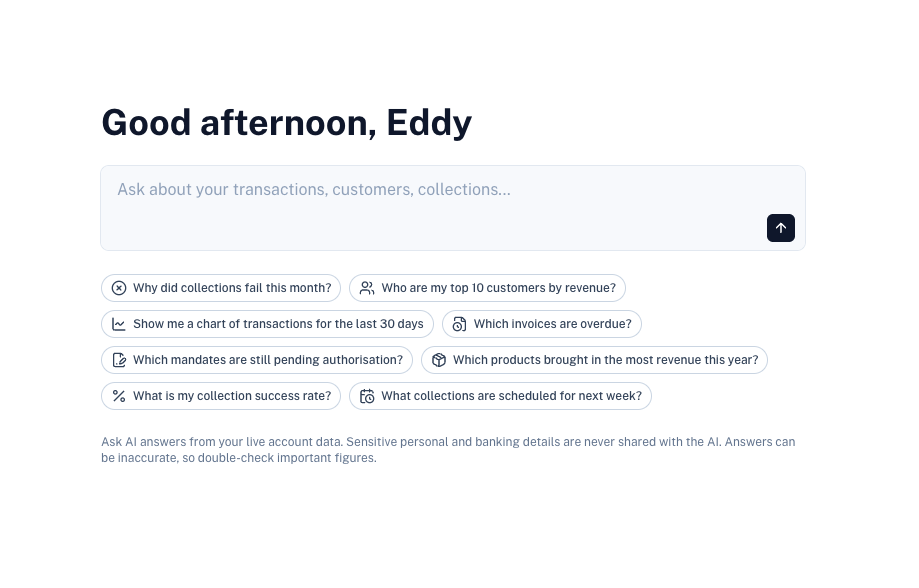
Ask AI lets you ask questions about your live account data in plain language, for example "Why did collections fail this month?" or "Show me a chart of transactions for the last 30 days". Answers can include tables and charts.
Open it from the Ask AI menu item.
Requirements
- Your account must be verified.
- An administrator must switch on Enable Ask AI under Ask AI settings. It is off by default.
- Your role must have access to Insights.
What You Can Ask About
Ask AI can answer questions about:
- Transactions
- Customers
- Collections
- Subscriptions
- Invoices
- Mandates
- Products
- Recipients
- Payouts
You can only ask about areas your role has access to. For example, if your role cannot view payouts, Ask AI cannot answer questions about payouts.
Example questions:
- Why did collections fail this month?
- Who are my top 10 customers by revenue?
- Which invoices are overdue?
- How many subscriptions were cancelled this month?
- Which mandates are still pending authorisation?
- What is my collection success rate?
- What collections are scheduled for next week?
- Which payouts are waiting for approval?
Select one of the suggested questions on the start screen to get going.
Chats
- Select New chat to start a new conversation.
- Previous chats are listed in the chat history so you can continue them later. Chats are private to you.
- Use Copy to copy a response, and Regenerate response to ask the AI to answer again.
- Rate a response as Good response or Bad response to help us improve Ask AI.
Privacy
Sensitive personal and banking details, such as bank account numbers, card details, ID numbers and payment data, are never shared with the AI, whatever your settings are.
Customer and recipient names are pseudonymised: they are replaced with a code before they are sent, and swapped back in your browser.
Ask AI Settings
Administrators can manage Ask AI under Settings › Ask AI.
| Setting | Description |
|---|---|
| Enable Ask AI | When switched off, nobody on the account can use Ask AI. |
| Shared fields | Choose which fields may be sent to the AI engine. Fields switched off here are never sent. |
Each field shows how it is handled:
| Label | Description |
|---|---|
| Never shared | Sensitive fields that are never sent to the AI, and cannot be switched on. |
| Pseudonymised | Names are replaced with a code before they are sent and swapped back in your browser. |
| Always shared | Fields required for Ask AI to work, such as status and amount. |
| Switch | Optional fields you can switch on or off. |